Officially a Geek Now

Computer Engineer BarbieSo I was bumbling along last week, doing a pretty good job of keeping up with everything. I was even working on blogs ahead of time and had a series of entries on using Twitter in the classroom underway. And then something happened.

Last Thursday, I was invited to join the staff on the Geekshed IRC Network. If you’ve been around since the MBU days of Computers and Writing, you probably remember IRC as the place where the Netoric Project (which you may remember as the Tuesday Cafe) started off, before moving on to using MOOs.

If you weren’t around back then—or if your memory is sketchy, you’ll need a little more detail. IRC stands for Internet Relay Chat. You can think of an IRC network as a collection of chatrooms, where people can use fairly simple commands to communicate. For the most part, the benefits of IRC conversations are quite similar to the benefits of chatting at the Tuesday Cafe.

I’ve been known the folks who run the Geekshed network since May of 2005. That’s when John Walter showed me BlogShares, a fantasy stock market for weblogs. Blogshares had a chatroom, which was hosted on IRC. Accustomed to hanging out on MOOs, I naturally logged right in, and I’ve been on the network ever since.

So I hope you’ll understand that thing got a little derailed during this last week. To go from plain old network regular to network staff is a bit of a change. I suddenly found myself reading documentation, searching for a Mac client that doesn’t suck, and trying not to break anything.

I still don’t have all the answers, but it’s time to get back to the blog writing I’m supposed to be doing every day. And who knows, maybe before too long I’ll finally be able to connect teachers back to IRC. I’ve been thinking for quite some time that we need to set up a regular online chat meeting. I miss Tuesday Cafe, TechRhet Barn, and chatting with the Talkies in the MOO on Friday nights. If you’re an educator and you’d be interested too, let me know by email or in the comments below!

[Barbie Photo © Mattel]

Resources You Need to Teach Effectively with Twitter

Twitter Button from MilkAddictTuesday, I argued that Twitter is a great classroom tool. Students can publish their ideas immediately to a ready audience of readers. This authentic audience and purpose makes Twitter one of the many ways that teachers can engage writers in meaningful communication.

So how do you teach effectively with Twitter? Today I’m sharing classroom resources you can use to get started and tomorrow I’ll have details on specific classroom activities you can complete with Twitter.

Basic Twitter Guides

Regardless of the project or activities, you’ll need some basic tutorial or guide to share with students and colleagues.

The classic explanation of Twitter is Twitter in Plain English from The Commoncraft Show. Originally produced in March 2008, the video is dated in places, but it’s still a good overview for someone who has never heard of Twitter. Chances are your students already know all about the tool, but if you’re trying to explain the resource to colleague or students’ family members, the video can be useful.

Ten Handy How-To Resources for Twitter from Bedford Bits includes guides and tutorials you can use yourself and share with colleagues or students. Twitter features have changed over the months, so some information will no longer match the site exactly.

Twitter’s Help Resources and Twitip’s Beginner’s Guide Posts are the best place to find the most current information. The 5 Naming Tips can get you going if you still need to set up your own Twitter account.

Specific Twitter Features

For classroom use, be sure that you talk about these features:

Twitip’s 5 Commonly Misunderstood Things on Twitter addresses several specific features quickly. Some may not be very relevant for class activities (e.g., tracking retweets), but others are crucial—like effective use of the @ sign in Twitter updates.

Be sure to come back later for information on how these features can be part of great classroom activities.


[Twitter Button Image by MilkAddict]

Is Twitter Classroom Worthy?

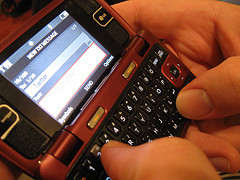
Sending Twitter Message by Cell Phone Image by rockinfreeI have a confession to make. I spend more time sending out Twitter updates (commonly called tweets) than I do on email these days.

Why is it a confession? Twitter has gotten a bad reputation in some circles. The College Humor video Twitter in Real Life demonstrates the way many people perceive the world of Twitter—it’s all a bunch of random, mediocre comments about whatever the writer happens to be doing at the moment in time.

Just because you can use Twitter for random reports on your day, however, doesn’t meant that you have to use it that way. In fact, I’d argue that a lot of the updates on Twitter are anything but random and mediocre when they are read by the intended audience in the appropriate context.

Yep, it’s all about the rhetorical situation. There are lots of people using Twitter to publish status updates about projects, news, and their lives in ways that are anything but random. Take @BreakingNews for instance. All day long, every day, the editors post the latest news stories in 140 characters or less, often with a link to a page with more information.

Looking for a more local example? The town where I live posts regular updates about road construction, town planning, town council meetings, and special events as @Blacksburg_Gov. Virginia Tech, my local university, posts similar updates as @vt_edu and @vtnews.

But is Twitter classroom worthy? Obviously, you can send similar class information and news to students using Twitter, but is the social networking tool capable of more than simply class announcements? Absolutely.

If you’re unsure, think about Twitter as another of the many ways that students can publish their writing. Make it one of the tools in your arsenal, placing it alongside blog posts, Wikipedia updates, email messages, and web forum posts.

Now any one of those tools for publishing writing can be used in mediocre ways that are not worthy of classroom exploration. That’s where the teacher comes in. The teacher has to talk about the audience and purpose for the messages and help students find the most effective ways to communicate—whether students are using blogs, email messages or Twitter.

Now just how do you go about it? Come back later this week for tips on how to introduce Twitter and ways to use Twitter in the classroom.


[Creative Commons licensed Flickr photo by rockinfree]

Résumés That Stand Out the Right Way

Catwoman being interviewed photo by Alaskan DudeThere are right ways to dress for a job interview. Sure, you want to stand out to an extent. You don’t want to blend into the sea of suits that march before the hiring committee. But, um, you don’t want to stand out for the wrong reasons. Probably shouldn’t wear a catwoman costume to an interview for at an engineering firm.

The same advice applies to résumés. When I talk about résumés with students, I do encourage them to do things that will make themselves stand out a little.

Traditional résumés can get very boring when you’re reading through a stack of 20 or 30 of them. If students can make themselves stand out, they have a better chance of being noticed–and we all know that being noticed can lead to getting that job.

It’s just as important, though, to talk about how audience comes into play in preparing résumés. You can teach this lesson quickly and clearly with the Dzine blog collection of “27 Examples of Impressive Resume(CV) Designs,” which my friend @Alliegator8u found and shared.

  • Go over résumés as you normally would, exploring more traditional examples in your text or online.
  • Share the DZine collection of résumés with students and encourage general feedback and discussion. You can click on the résumés to see larger versions.
  • Once general discussion dies down, ask students to think about the jobs that they would apply for themselves. You might group students with like career goals for this project. Have students brainstorm some details about the positions and companies they will send resumes to. Emphasize that students are effectively completing an audience analysis for these companies.
  • Return to the DZine collection of résumés. With their audience analysis in mind, ask students to identify which of the résumés might stand out and still fit with the needs and expectations of the audience companies. Encourage students to read through the comments on the page for some interesting discussion as well.

It’s likely that some of the more intriguing DZine résumés will be inappropriate. While they are clever and eye-catching, most of the résumés are suited only for edgier graphic design positions and companies.

I don’t think I’d encourage MrSunnyBlack or Sofiane42 to send those résumés to a conservative company. But Kenji2030 and Kamilmytnik might have a reasonable mix of traditional elements and “wow” design that would let their résumés stand out without ending up in the decline pile. As the résumés should make clear to students, it’s all a matter of the audience the résumés are presented to.


[Creative Commons licensed Flickr photo by Alaskan Dude]

Want Free Pointers on Designing Class Projects?

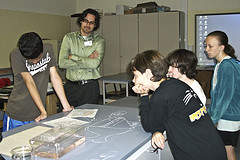
Students working by USACE Europe DistrictImagine a classroom full of engaged students busily researching, composing, and discussing their work. Project-based learning (PBL) can make such dreams a reality.

As the name suggests, project-based learning asks students to participate in a project that focuses on a particular question or issue. Edutopia describes PBL this way:

Project-based learning is a dynamic approach to teaching in which students explore real-world problems and challenges. With this type of active and engaged learning, students are inspired to obtain a deeper knowledge of the subjects they’re studying.

What makes PBL useful in the composition classroom is the focus on authentic writing situations. To have an impact on the real-world issues they explore, students communicate with real readers with a concrete purpose.

Whether you’re new to PBL or just looking for new resources, be sure to check out Edutopia’s free, upcoming Project-Based Learning Camp, led by Suzie Boss, co-author of Reinventing Project-Based Learning.

By the end of the camp, you’ll have everything you need to teach a project-based class this fall. And everything takes place online, so you don’t even have to put on your “school clothes” to participate. Sign up now, and I’ll see you at camp!


[Creative Commons licensed Flickr photo by USACE Europe District]

Lady Gaga and the Research Process

Okay, so maybe I’m a month behind on finding this (via @Lumpy), but it’s too fun not to mention it now that I have. Cory Doctorow shared “Librarians do Gaga” on BoingBoing back in May.

In the YouTube video, librarians from the University of Washington share a few research tips, all to the tune of Lady Gaga’s Poker Face. I’m sure you’ll get a chuckle out of it—and maybe you’ll be inspired to ask your students to do their own video remixes to promote the school library.

If you want to know more about the video, the comments point to Sarah Wachter’s blog, where there are more details on how the video came about in FAQ style and a transcript of the lyrics.